Dear coachingspace community,
some of you will have noticed that until recently the coachingspace app had an area called "Community". For now, this area is being developed behind the scenes, because our priority is developing new methods and improving existing ones. But the idea behind the community was and remains of great importance to us. The invitation goes out to you, dear user, to let us share in your work and to experience through application examples how versatile work with coachingspace can be. That is exactly what we are attempting for the second time with this blog post (after the article on the action priority matrix).
The problem: building templates takes effort
One of our users, Horst Lempart, recently approached us with the request to integrate the structural model of transactional analysis into coachingspace. It could be built in the coachingspace online whiteboard, but that would take a lot of effort and, above all, time. Time you simply do not have spontaneously in an online coaching session. A problem many of our users have probably run into. Studies also repeatedly show that preparing online counseling sessions takes more time than preparing in-person sessions (see for example Richardson, 2012; Simpson, Deans, & Brebner, 2001).
The solution: the new client management in coachingspace
So it was good timing that the new client management is now available in coachingspace. It comes with numerous new functions; listing them all and explaining their benefits would go beyond the scope of this blog post. Instead, we will shortly add a video in our video tutorial area presenting all functions. But with duplicating and assigning, we want to highlight two central functions here as examples, because they solve exactly the problem sketched above.
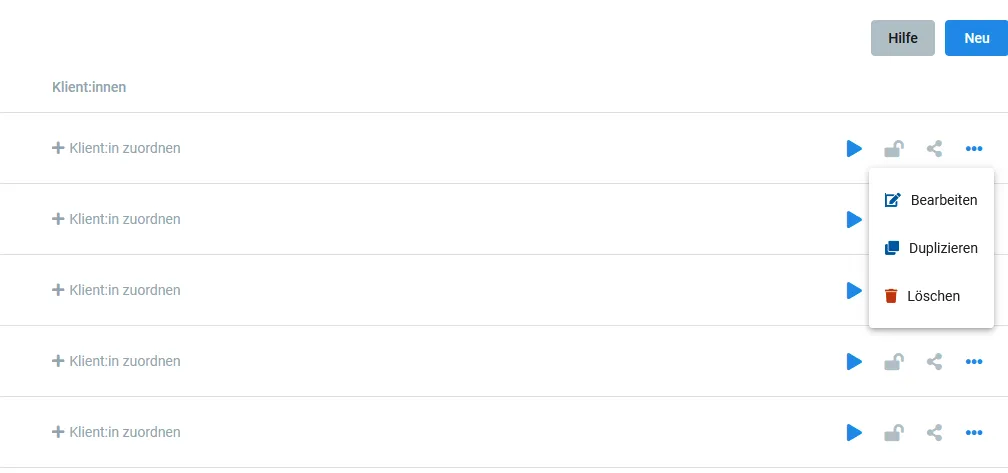
New in every method: the option to assign clients (left) and to duplicate method states (right, by clicking the three dots)
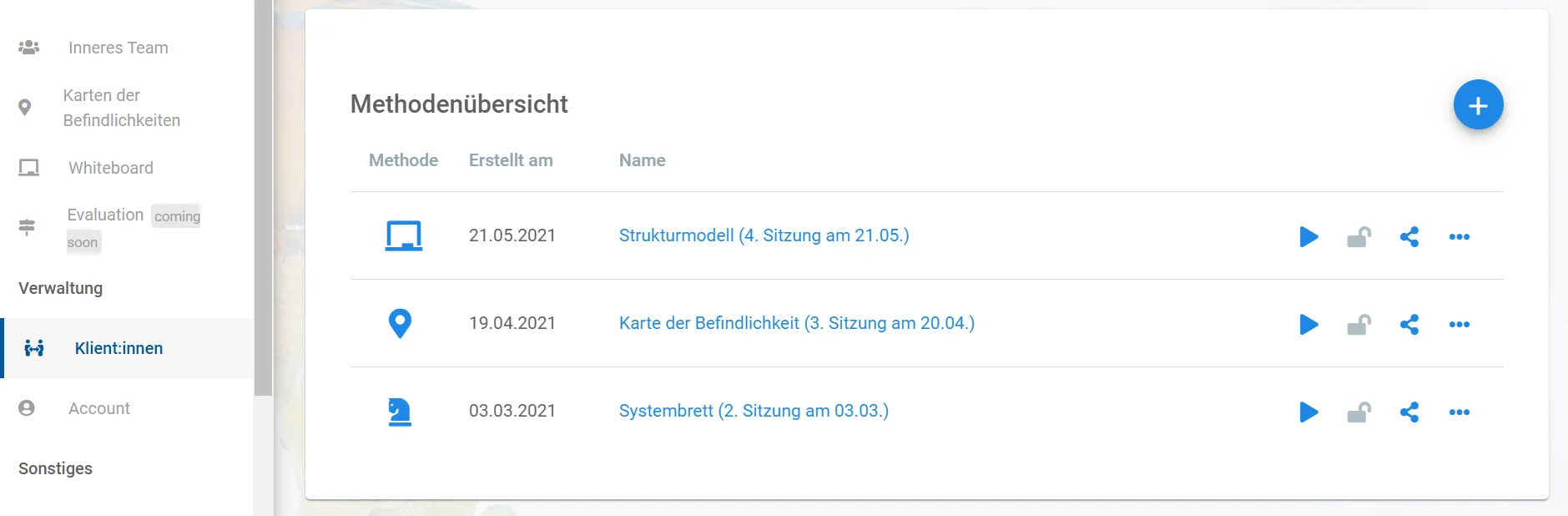
With the "Duplicate" function, hidden behind the three dots on the right of every method, the method can be "cloned" in its current state. Among other things, this now offers the great possibility of taking the time and effort once (for example ahead of a counseling session) to create a template, such as the structural model of transactional analysis. Afterwards, the duplicate function is all it takes to create an exact copy of the template as often as you like and, if you wish, rename it via the edit function.
In the next step, the "Assign client" function attaches the appropriate client to the copy. There you either create a new client or select clients you previously created via the client management (found in the main menu on the left under "Administration").
In the spirit of our community approach, we were able to win Horst Lempart over to contribute a practical example of how he works with the structural model in concrete terms.
Practical example: flying off the handle
Kindergarten director Andrea K. told me on the phone that she had a critical confrontation with her employee Michaela M. Due to Covid, there were occasional staffing shortages. Michaela therefore accused the director of having no "plan B" for such cases. "I could have flown off the handle, what an impertinence. How would she know what plans I have?!", Andrea said, upset. Already during the call, I had the idea of building the supervision around the structural model (also known as the three-instances model) of transactional analysis. For our appointment, thanks to the duplicate function in coachingspace, I had duplicated my template of the three-instances model with two clicks, and the coaching could start right away.
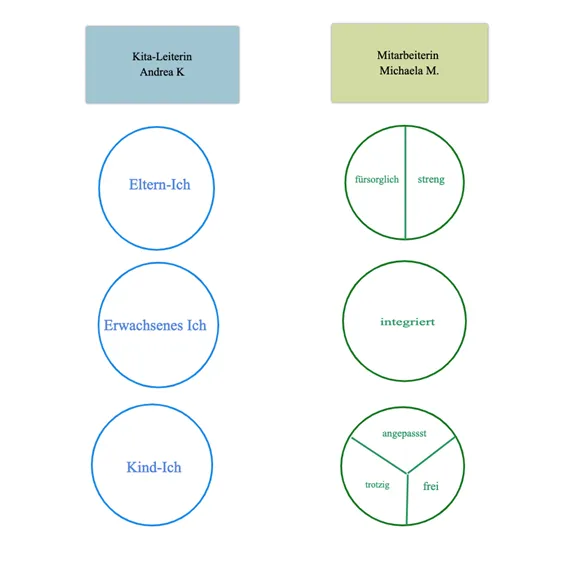
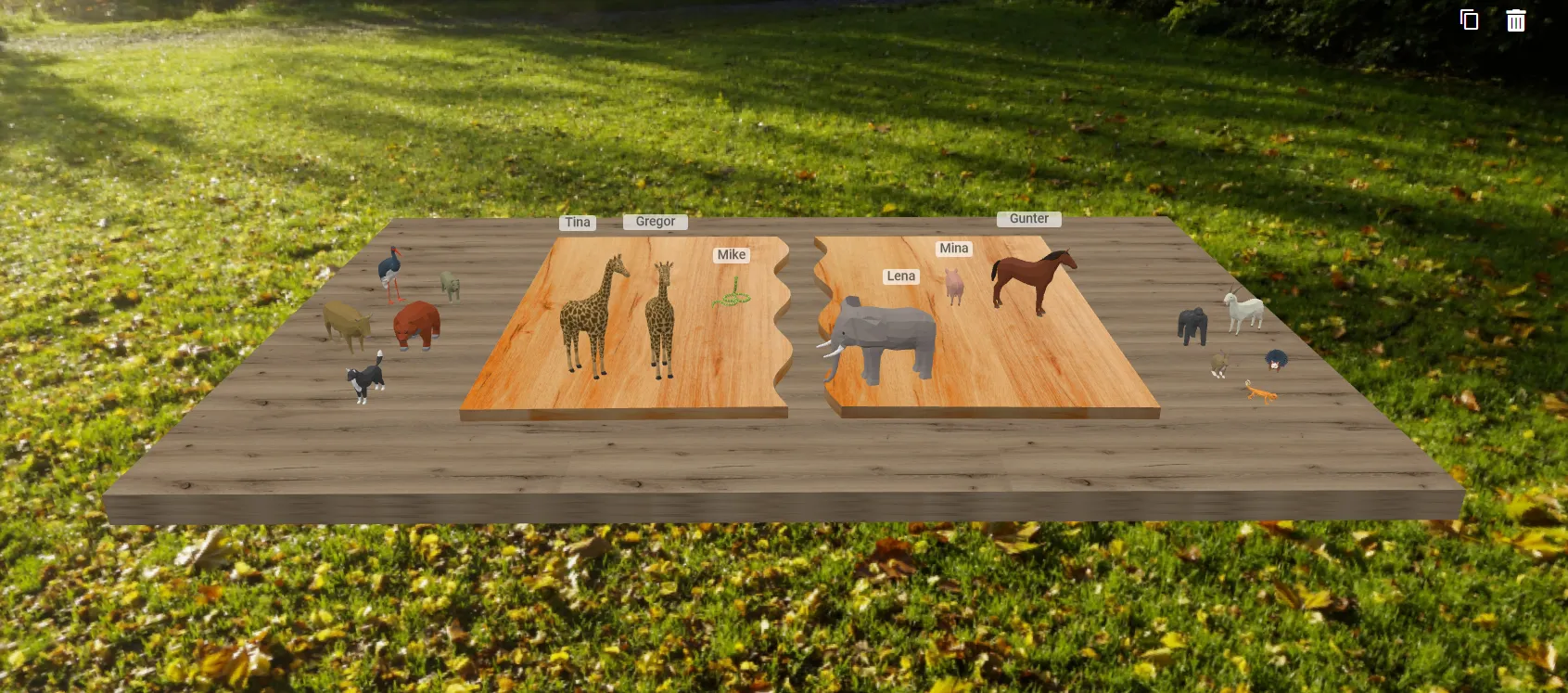
The structural model of transactional analysis: duplicated in no time from a template created ahead of the counseling session.
When emotions run high, I like to start with the question "How did you feel in the critical situation?" Andrea laughed. "Like a small child. I feel judged, like at school when I hadn't done my homework properly."
I briefly introduced the model to Ms. K. Especially in conflict situations, it often brings illuminating insights into the patterns underlying the communication. Still, I like to stress that psychological models are just models that reduce complexity. Their great advantage is that they make connections clear and processes more manageable. Back to being able to act: that was our shared assignment. So I visualized along on the whiteboard:
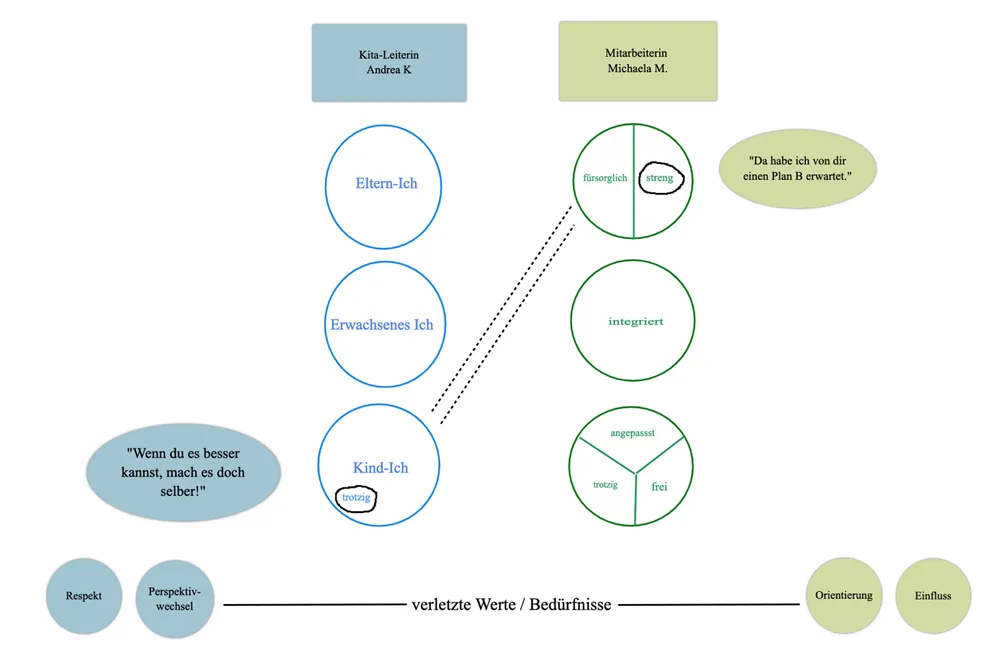 Our child ego state reacts particularly from feeling. Feelings give us good hints about the needs and values behind them. In Andrea's case, it turned out that her values of respect and foresight were not being served enough. Out of this anger she reacted defiantly. Which led to even more clever advice from Michaela. A ping-pong game developed. But how to exit this loop?
Exiting the loop
It is always a joy to see how creative clients become when they get to know the model visualized. It is easy to grasp and quickly opens doors to new, alternative options for action. In Andrea K.'s case it looked like this:
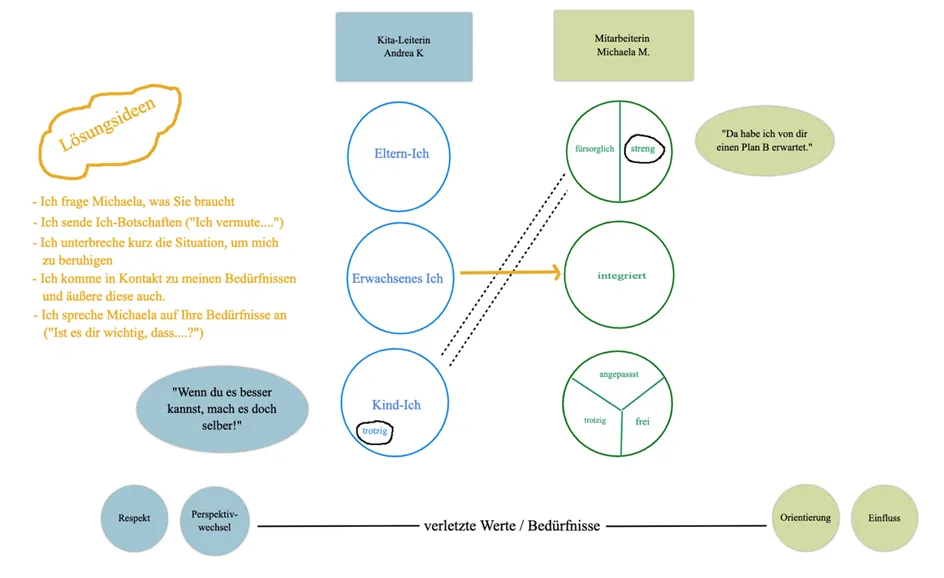 Andrea K. took the new ideas with her as possibilities for making a different choice in the future. With a little practice, she need not remain a slave to her childlike impulses. Whether Michaela then actually accepts the offer of "adult communication" is not guaranteed, but the attempt is worth it. In coaching, we think in probabilities.
Continuing the work
Since the whiteboard in coachingspace saves automatically in the background, it was easy to give Andrea K. a picture of the results to take with her. And we will certainly come back to it to evaluate her results. Perhaps we will also bring in the "Inner Team", which makes a wonderful complement. – by Horst Lempart (www.horstlempart.de)
Many thanks at this point, Horst, for this great insight into your work. For continuing the work, there is even one more function that quietly moved into coachingspace with the new client management: the so-called method links (see red marking in the screenshot below). Every assigned method now automatically receives its own link, through which the client can continue working on the method, for example between two coaching sessions. Blended coaching and consulting in coachingspace thus becomes easy. More on that in one of our next blog posts.
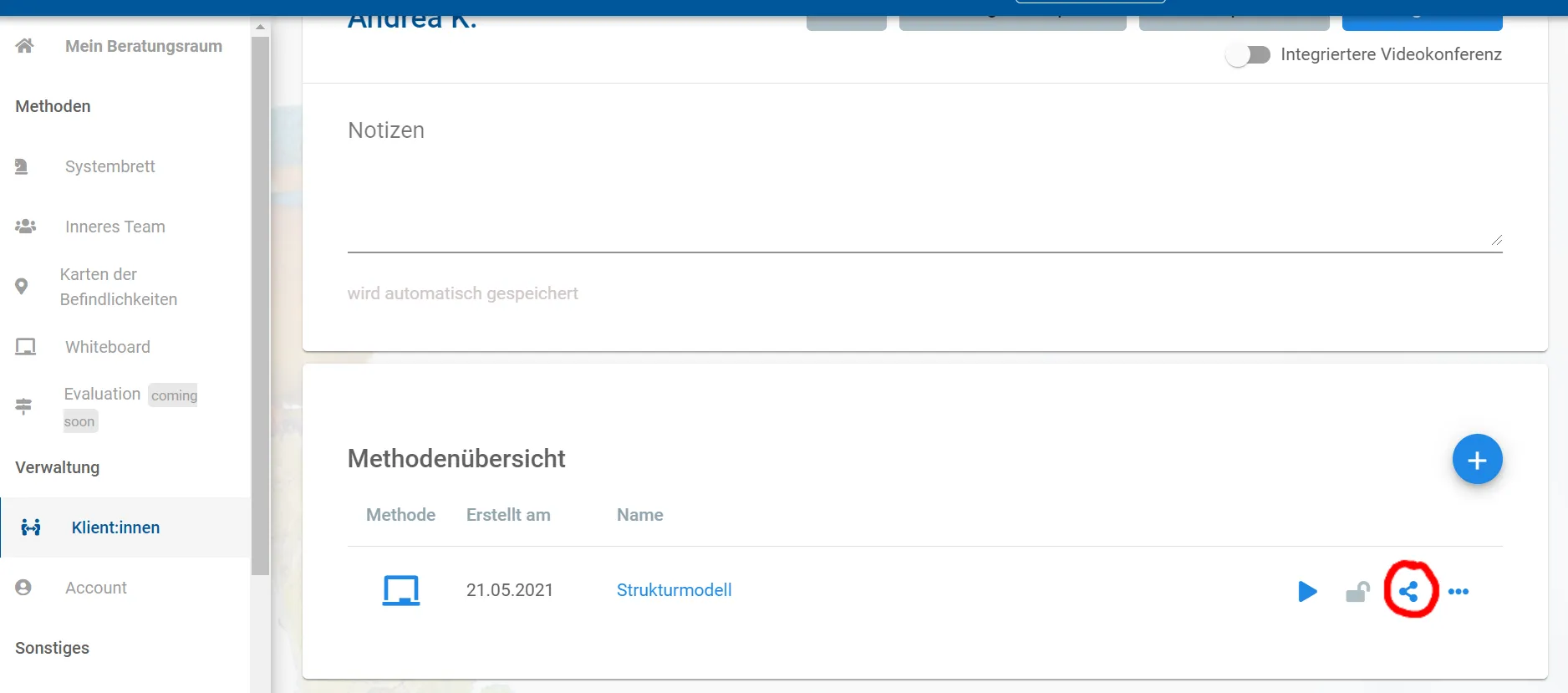
Via the method links (red marking), a method can always be edited, even without the coach or consultant, unless you lock it with the padlock icon next to it.
For now, wishing you happy experimenting with the assign and duplicate functions,
the coachingspace team