Dear community,
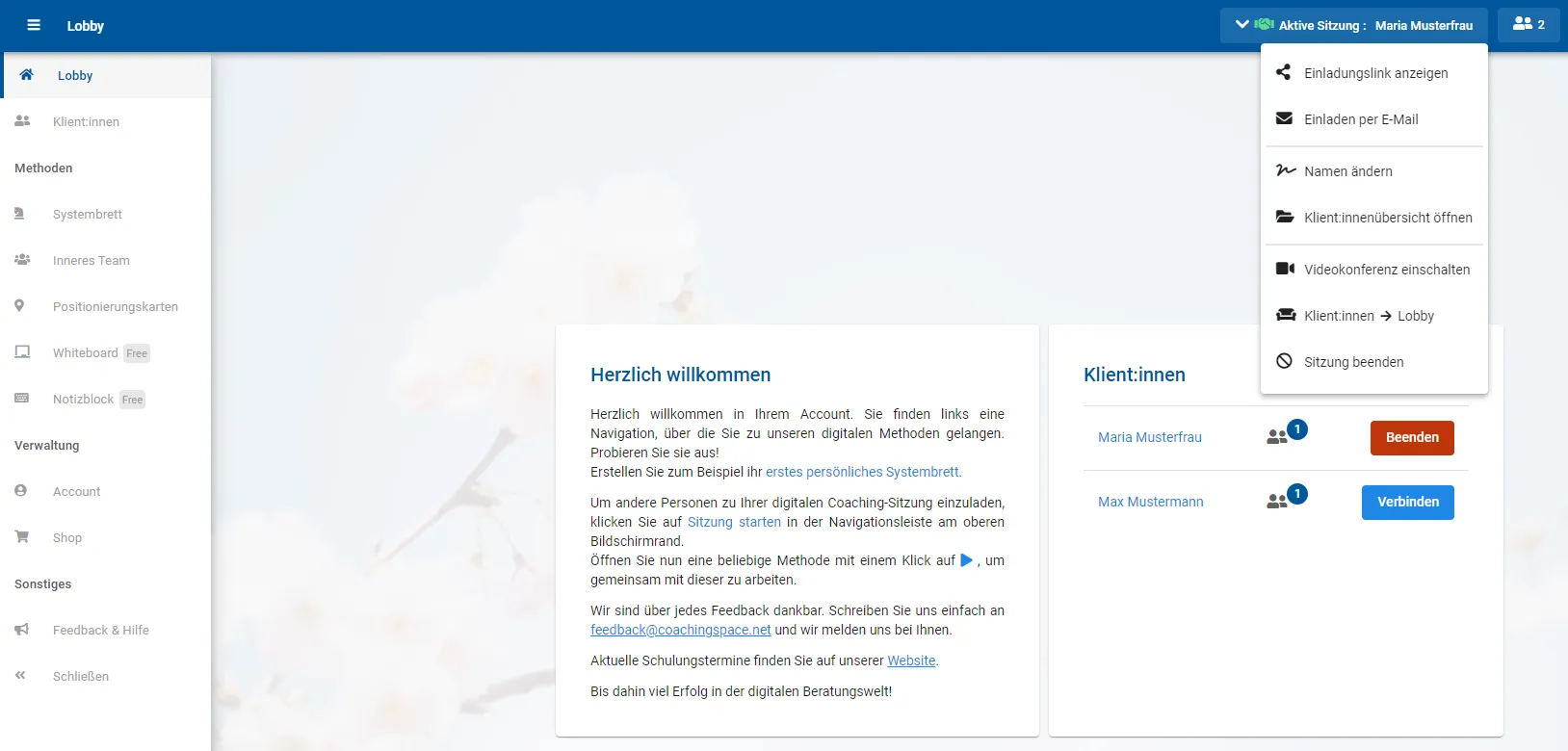
some of you will have noticed already: there is another new update in coachingspace. Although the biggest change is one your clients will notice most. It concerns the new client management, which moved into your coachingspace this week and now includes a tech check and a lobby. We also currently strongly recommend using a so-called Chromium-based browser. But one thing at a time.
Lobby, tech check and more control: the new client management is here!
Thanks to the many responses from the community, in recent weeks we focused in particular on the process of connecting with your clients and on process control, and built in several improvements here. Before connecting, your clients first enter the waiting room including a tech check. Then they can enter the lobby, and you as coaches receive a notification that someone is now in your lobby. You also have the option to jump to methods alone and bring your clients in afterwards.
Our managing director Benjamin Lambeck shows exactly how this process works in the following two videos. The first is for everyone who has been working with coachingspace for a while and only wants to be informed about the updates; the second is for everyone who wants to get to know the client management in detail. Enjoy watching!
A quick overview of all the new features of the spring update
A detailed look at the new client management
One more note on the update: if the new version (recognizable by the new spring background) does not appear directly on your next visit to coachingspace, it is advisable to reload/refresh the page. On Windows PCs, you can do this with the F5 key. On Apple devices, the key combination cmd + R is needed.
Strong recommendation: use Chromium-based browsers
We currently often get the question of why our video tool "stutters", and Apple users in particular report loud fans on their Macs. We went looking for the cause and in the vast majority of cases identified the browser being used as the source of the error. Especially Apple's Safari, but in some cases also Mozilla's Firefox, currently cause difficulties, not only for coachingspace users but in other online tools too. We hope their developers fix this quickly, and at the same time we are working on improvements of our own to solve the problems.
Until then, we recommend using coachingspace via so-called Chromium-based browsers, especially when using our video tool. The better-known ones include Google Chrome and Microsoft Edge, as well as the Opera browser. If, like us, you place great value on data protection, the "Brave" browser works too. Safari, Firefox and Microsoft Explorer unfortunately do not count among them.
Ideally, please also inform your clients about this. But we have taken additional precautions for you here: exactly for this reason, our new client management also includes a tech check, so your clients can verify themselves whether, among other things, a compatible browser is being used, and also whether the internet connection is stable enough.
Wishing you continued happy spacing,
Your coachingspace team